Quick Settings Launcher is a free and portable one click launcher for different Windows10 settings pages.
The Windows10 settings application can be a little confusing sometimes, Quick Settings Launcher is a mini utility that provides a simple and Straightforward list of all the settings pages and a one click launcher for each page directly.
Quick Settings Launcher is a portable application, installation is not needed, just unzip and execute SetQL.exe.
The application can run from any folder or removable drive.
Quick Settings Launcher features:
-Straightforward list of all the settings pages
-A one click launcher for each page
-Can be minimized to system tray or start minimized with '-m' as parameter
-Display the executed URI.
-Portable and small size executable
Supported OS: Windows10, some pages may also work with Windows8/8.1 (never tested).
Note:
Whether a settings page is available varies by Windows SKU. Not all settings page available on Windows 10 for desktop are available on Windows 10 Mobile, and vice-versa. also additional requirements (hardware or software) may be needed for a page to be available.
Freeware by LeeLu Soft
Download Quick Settings Launcher portable (764kb):
Showing posts with label Freeware. Show all posts
Tuesday, August 29, 2017
Tuesday, October 25, 2016
System Time 1.0
System Time is a free system time information utility for Microsoft Windows platform.
System Time features:
• Watch the amount of, CPU Idle time, Kernel Time, User Time
• Watch the system's up time and the last boot date.
• Watch the system date time, compare to the internet official date time and sync your PC with the internet time
• Select the network time protocol pool
• Enabling the network time protocol requires internet connectivity, if internet date time is not displayed or displayed incorrectly, disable internet date time using the check box, select a different NTP pool and enable internet date time again.
System Time is a portable application, installation is not needed, just unzip and execute SysTime.exe, it can run from any folder or removable drive.
Freeware by LeeLu Soft
Download System Time portable (896kb):
Saturday, June 18, 2016
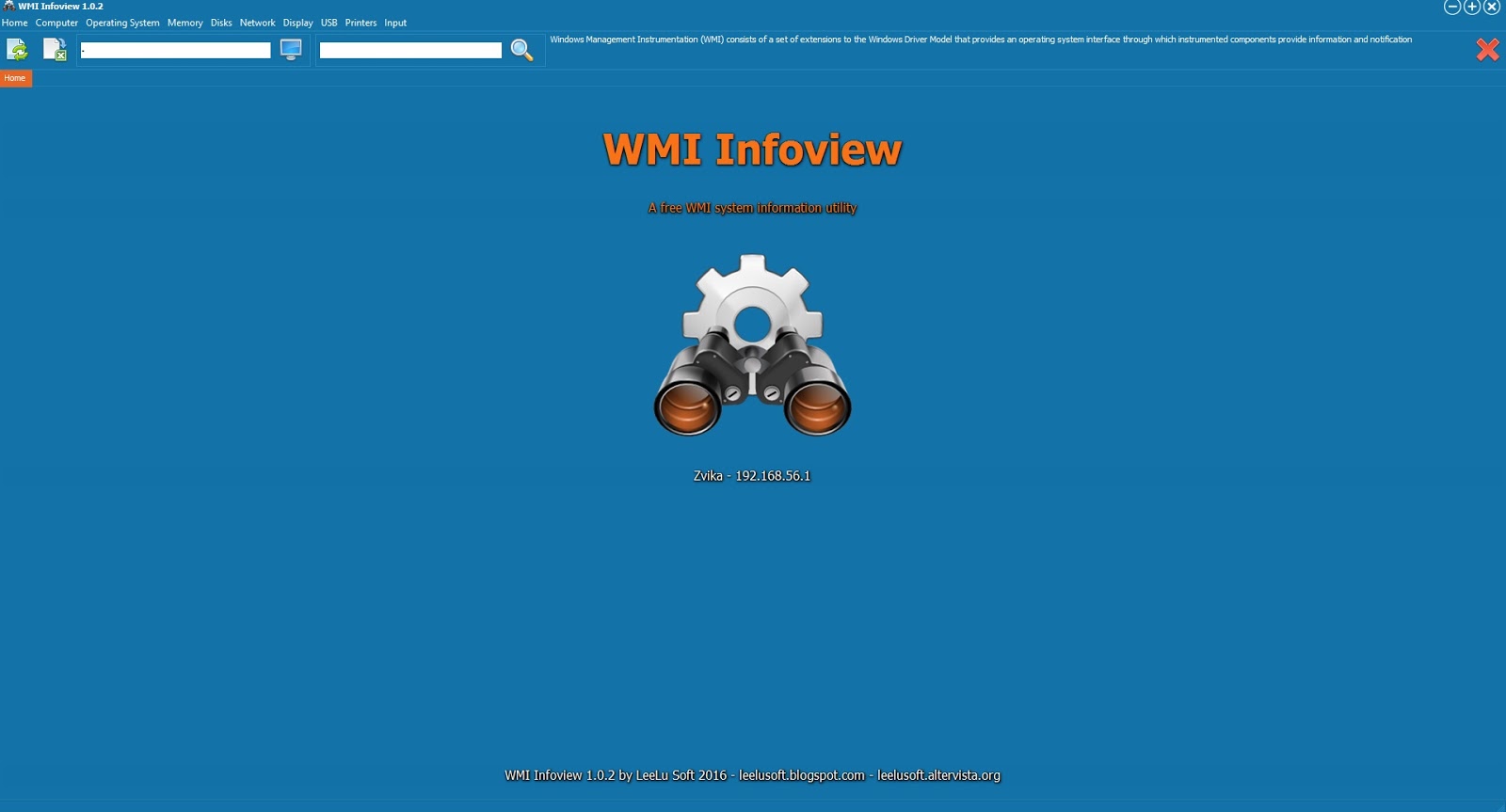
WMI InfoView 1.0.2
WMI Infoview is a free WMI based system information utility for Microsoft Windows platform.
It can provide a huge amount of information about your PC and Windows OS.
Freeware by LeeLu Soft 2016
Download WMI InfoView portable (no installation) 1.7mb:
Wednesday, June 18, 2014
New Site !
Hello,
After a long time using Blogger as our main site, we launched our new site.
This blog will continue to be maintained as usual.
The new site features a clean and simple design, fast loading and response time, menus and categories for easy browsing the software archive, direct download links with portable versions for most of the utilities, mobile compatibility and more.
Thank you
LeeLu Soft
Thursday, May 29, 2014
EncryptThat 1.0
EncryptThat is a quick and effective way to encrypt or decrypt files directly from your Windows Explorer context menu (right click on a file).
The content of the encrypted file will be protected and no one can access it unless he has the encryption password.
It is free, small (475kb), portable (no installation needed), fast and easy way to protect the content of your sensitive files.
Freeware by LeeLu Soft 2014
Download EncryptThat portable (460kb) from MediaFile:
Friday, January 3, 2014
InfoFlush 1.0
There are a lot of excellent system information utilities around the internet.
But there are times when you need a quick way to export your system configuration to a text file so you can send it to an expert for further inspection or if you need a quick way to collect the system configuration from a few computers.
This is the right time to draw InfoFlush, only 975kb, portable, small and fast, a must have on every computer or USB drive !.
InfoFlush is a quick way to dump your system configuration to a text file, just one click and your report is ready in a blink.
InfoFlush report includes a huge amount of hardware and software information.
Using InfoFlush is very simple, just execute it (**Run InfoFlush.exe as administrator!!**) and you are ready to use it, one click and your report is ready.
Freeware by LeeLu Soft 2014
Download InfoFlush 1.0 portable:
Download from Softpedia:
Sunday, October 20, 2013
Watch4Size 1.0
Watch 4 Size is a simple to use and powerful monitoring and automation tool to monitor changes in a folder size.
It is a small, portable (after the first installation) and simple to use utility.
Watch 4 Size let you know when the target folders size has reached your pre-defined threshold and can execute actions automatically.
It can be auto-loaded with your pre-defined settings and can run minimized from the system tray (notification area).
For more information please read the included user guide.
Freeware by LeeLu Soft 2013
Download Watch4Size portable:
Download Watch4Size user guide (219kb):
Download from Softpedia:
Saturday, October 5, 2013
DucoCheck 1.0
DucoCheck is a unique utility that let you add (and remove) any of the following items to the Windows Explorer files context menu (right click on a file):
- Calculate MD5 hash
- Calculate CRC32 checksumAdding any of this menu items let you right click on a file and get the file's MD5 hash or CRC32 checksum
With any of this new items menu you can get the results in one of two ways:- as a popup message
- as text in clipboard
For more information please read the included ReadMe.txt file
Freeware by LeeLu Soft 2013
Download DucoCheck portable:
Download from Softpedia:
Download from Soft82:
Labels:
calculate,
checksum,
CRC-32,
crc32,
Download,
file integrity,
Freeware,
Game,
hash,
hash result,
MD5,
Security
Saturday, May 4, 2013
LeeLu Monitors AIO 1.0
LeeLu Monitors AIO version 1.3 is available here now !
LeeLu Monitors AIO is a collection of different LeeLu Soft monitoring tools developed over the years.
When hovering with your mouse cursor over the buttons, a description will appear in the main window.
LeeLu Monitors AIO is a portable application, after the first installation you can copy LMAIO.exe to a different computer or USB drive and run it without the need to install it again.
The installation packag will also extract user guides for all the monitoring tools into the target folder.
And that is not all, each of the monitoring utilities can be extracted as a stand-alone and portable application that you can run from your USB stick or on a different computer.
The installation packag will also extract user guides for all the monitoring tools into the target folder.
And that is not all, each of the monitoring utilities can be extracted as a stand-alone and portable application that you can run from your USB stick or on a different computer.
Monitoring tools included:
Watch 4 Folder 2.3 - the awards winning powerful folder activity monitoring tool
NOFMonitor 1.0 - monitor folders for changes in the files count and execute actons
Watch 4 Idle 1.0 - monitor your computer for idle status, resume from idle and execute actions
Registry Live Watch 1.1 - monitor your registry for changes and execute actions
Clipboard rules 1.0 - monitor clipboard text and execute actions based on pre-defined rules
MemDash 1.0 - never published before this AIO package, display a graphical presentation of the various memory aspects.
Freeware by LeeLu Soft
Tuesday, April 16, 2013
APUSB 47 1.0
Check our new Site, faster, clean design, easy to browse, direct download links and more
This is version 1.0, for UPUSB 47 version 1.2 click here
Since the release of Windows 7, Microsoft doesn't support the AutoRun functionality for non-optical removable media. In other words, AutoRun will still work for CD/DVDs but it will no longer work for USB drives.
APUSB 47 is a small utility that runs minimized in the system tray and brings back the AutoRun functionality for USB drives to your Windows 7 computer.
No changes are needed to the USB drive, just using the standard autorun.inf as before.
Note:
This utility is for Windows 7, if you are using Windows XP or lower there is no need for this utility.
Note:
This utility is for Windows 7, if you are using Windows XP or lower there is no need for this utility.
Please read the included Readme.txt for more information.
Wednesday, March 27, 2013
Thumbs.db Explorer 1.0
Thumbs.db Explorer is a small utility (700kb) to view and extract images from thumbs.db files.
You can preview the images inside a thumbs.db, save all to a destination folder or save only a selected image.
Please read the included readme.txt file for more information.
Download Thumbs.db Explorer portable:
You can preview the images inside a thumbs.db, save all to a destination folder or save only a selected image.
Please read the included readme.txt file for more information.
Freeware by LeeLu Soft
Download Thumbs.db Explorer portable:
Download from Softpedia:
Download from FileHungry:
Sunday, March 17, 2013
Watch 4 Idle 1.0
Watch 4 Idle version 1.1 is available now Here, follow this link to get version 1.1
Freeware by LeeLu Soft 2013
Labels:
Download,
free,
Freeware,
games,
Idle,
Idle monitor,
idle time,
System Idle,
Utility
Friday, February 22, 2013
PSSend 1.0
PSSend is a single hot key combination print-screen and send utility.
It is a very useful utility for help desk and support services, so users can easily send a screenshot to the support team using WinKey+PrintScreen only.The utility is running minimized from the system tray (notification area), your end users just need to press WinKey+PrintScreen, this will take a screenshot, open a new mail (the recipient email address can be pre-defined) and add the screenshot as attachment.
The mail recipient and mail subject can be pre-defined, it can also add to the mail body some basic information about the sender computer.
Freeware by LeeLu Soft 2013
Download PSSend portable:
Download from Softpedia:
Download from Famouswhy:
Saturday, December 22, 2012
NOFMonitor 1.0
NOFMonitor is a unique monitoring tool to monitor changes in the files count of a folder.
NOFMonitor monitors the target folder for changes in the files count (file created and file deleted).
It can trigger different actions when a threshold is reached.
It can be minimized to the system tray (notification area) and run in the background, it can also be executed from the command line to auto start a folder monitoring with specific settings.
Friday, November 16, 2012
CoordiPoint 1.0
CoordiPoint is a unique small utility (613kb) that runs minimized in the system tray (notification area).
It adds the ability to enable or disable (using a hotkey) two crossing coordinates lines that follows you mouse cursor.
This feature can be useful to position the mouse in the exact point you need, it is very handy when using graphical utilities in which you need to align different objects.
You can set the lines color and the lines thickness.
Using CoordiPoint is very simple, after the first installation Coordipoint is a portable application, and you can copy the executable file (MR.exe) and run it from a removable drive or on any other Windows based computer without the need to install it again.
Freeware by LeeLu Soft 2012
Download CoordiPoint portable:
Download from Brothersoft:
Download from Softpedia:
Download from FileHingry:
Download from Best Freeware Download:
Labels:
Beam,
Coordinate,
Cursor,
Download,
free,
Freeware,
Mouse,
Mouse Control,
Mouse Position,
Ruller,
Utility
Subscribe to:
Posts (Atom)