http://www.mediafire.com/file/2ylojmrblm0/setowner1.zip
Wednesday, October 14, 2009
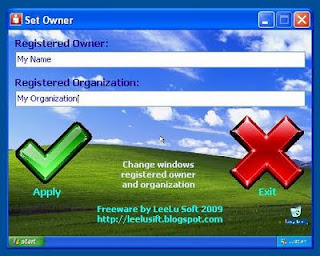
Set Owner 1.0
http://www.mediafire.com/file/2ylojmrblm0/setowner1.zip
Tuesday, September 8, 2009
How to use GetIt button on Firefox?
With Grab++ you can grab all URLs on the webpage.
Grab Pro can download video/music from the sites which are using anti-leeching technology like YouTube, IMEEM™...
This page is tutorials page.
'GetIt' button doesn't appear because of some unknown reasons sometimes,
you can use this function by right click on the page. Please make Firefox be monitored by Orbit first.
Monday, September 7, 2009
How to use GrabPro?
Download Media Step 1: Play the media at the page. Grab Pro will start to grab the playing media automatically:
Download Media step 2: Click the yellow area to call out the item list. And click "Download it" to download the grabbed media:
Download Media step 3: You can open the file when it completed:
How to install GrabPro?
How to use Grab++?
Download vimeo video using Grab++
1. Run Orbit Downloader's Grab++ first:
2. Then play the vimeo video. When the video is played, its url is grabbed by Grab++:
3. Check the video in Grab++ then click 'Download' button. The video will be downloaded.
Why no 'GetIt' button on the flash or video?
You have not choose Tools-Enable 'GetIt' button for catching media.

The ‘GetIt’ button would appear normally in IE as the picture shows:

Or when you use firefox, there is a grey button on the top right corner of the video.
It's a small Orbit LOGO. You can click it to download the video instead of 'GetIt' button.
Wednesday, September 2, 2009
Orbit Downloader 2.8.16 is released
You can use 'GetIt' button on Firefox now!!!
Hope that we can do better.


